From on-site assessments to professional reports and client delivery, Tricorn brings your entire workflow into one powerful platform.
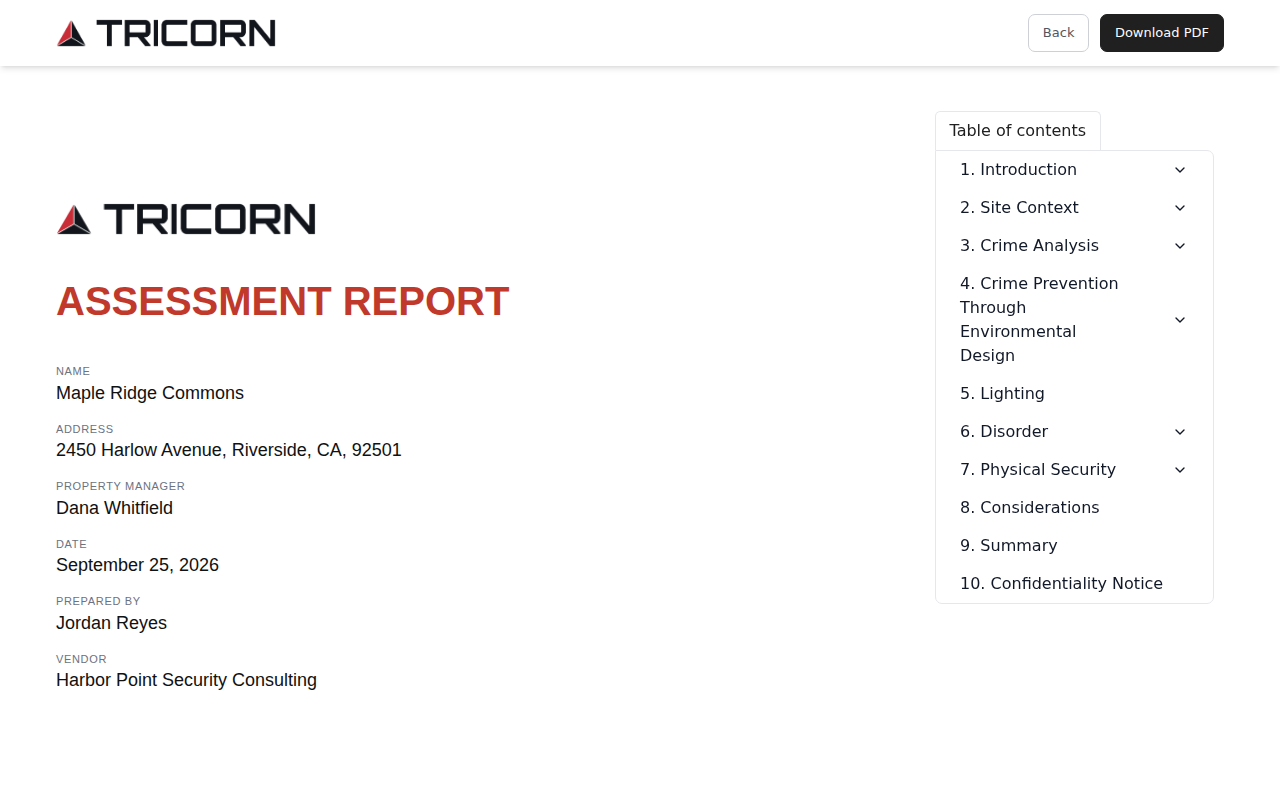
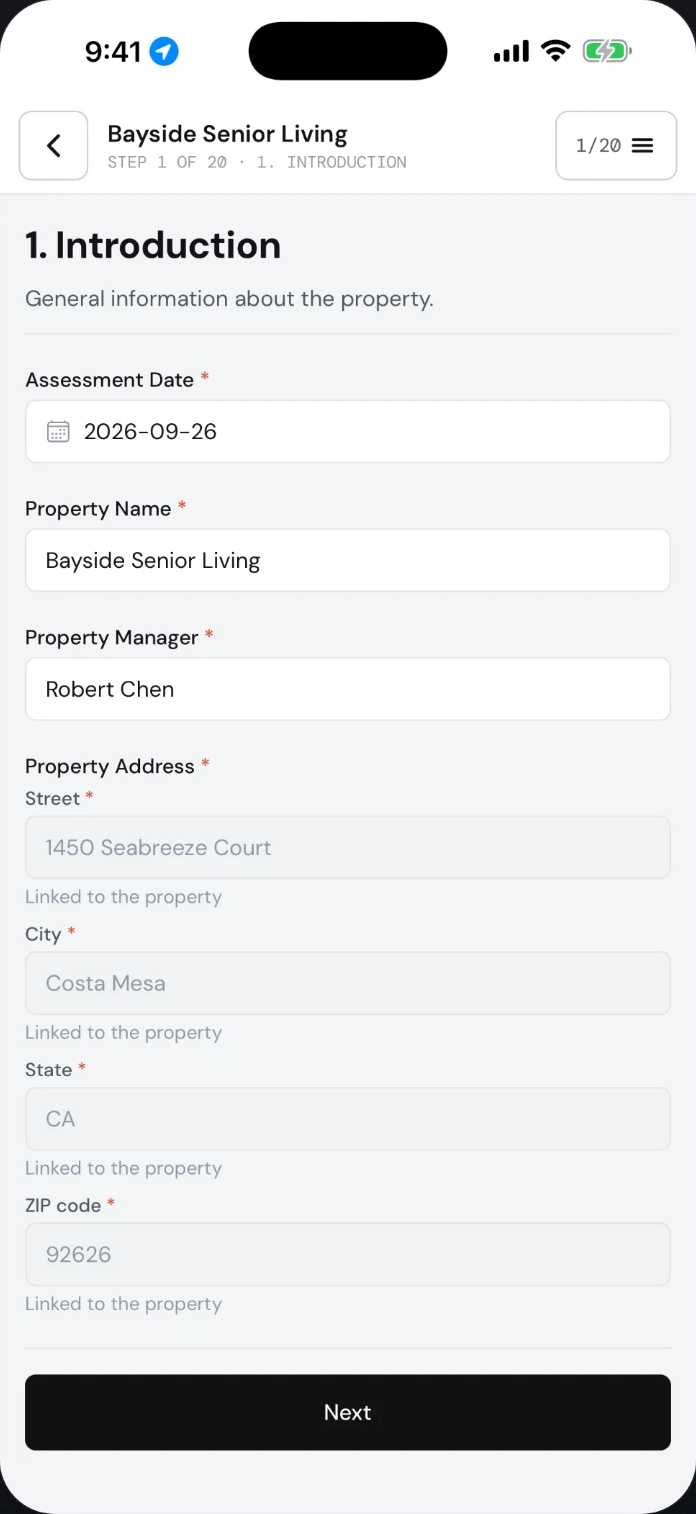
Scheduling, field notes, photos, the report and client follow-up live in one dashboard instead of five separate tools.
Gap under the fence line, roughly 14 in. No lighting on this section.
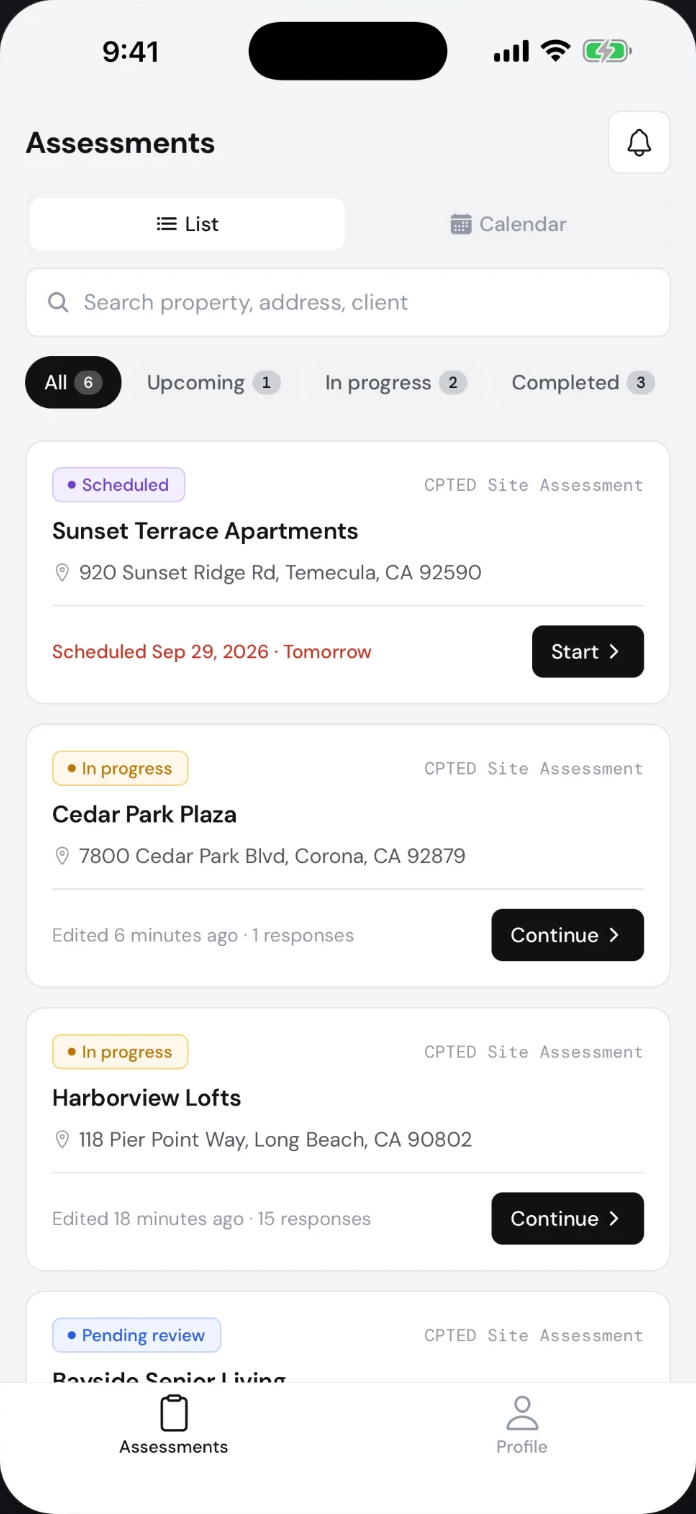
Photos, checklists, ratings and notes on iPhone, iPad and Android. The app works without signal and syncs when you reconnect.
Every report is published as a web page and a PDF, and recommendations can become a tracked task list for the client.
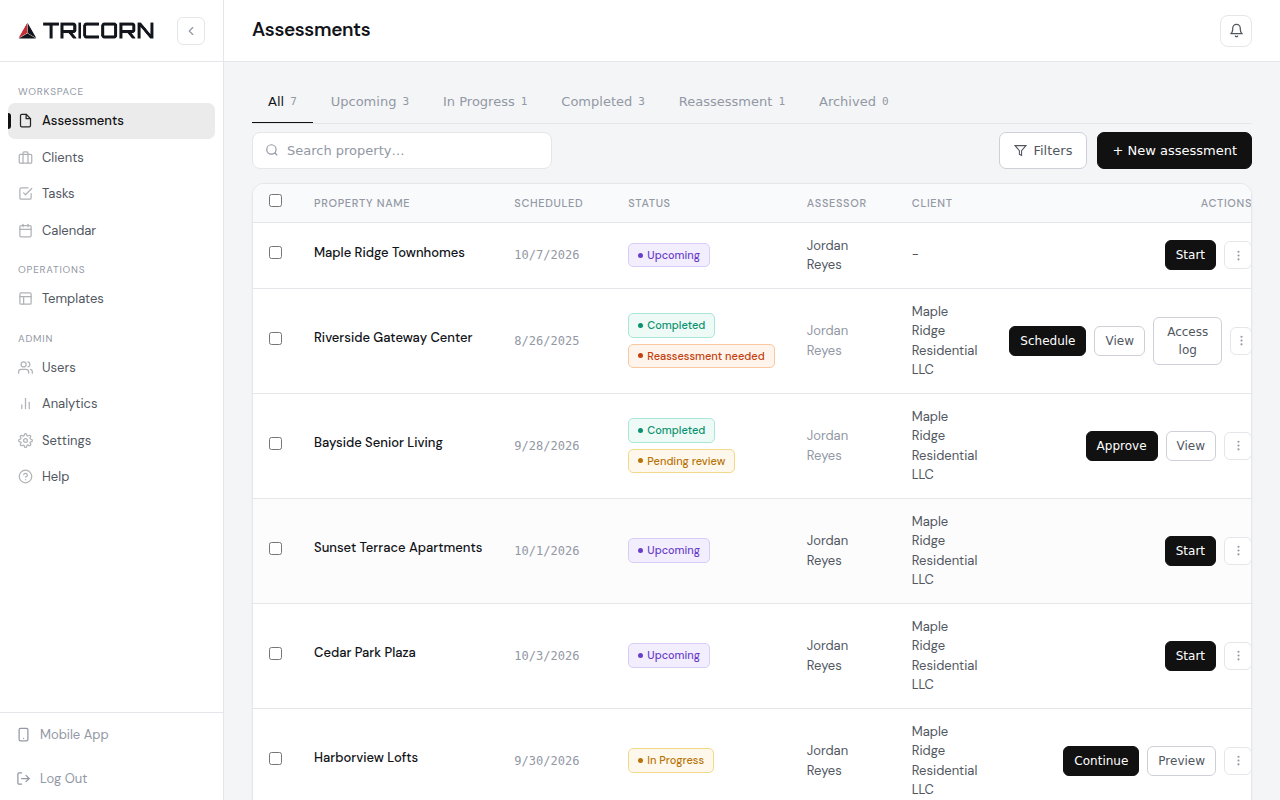
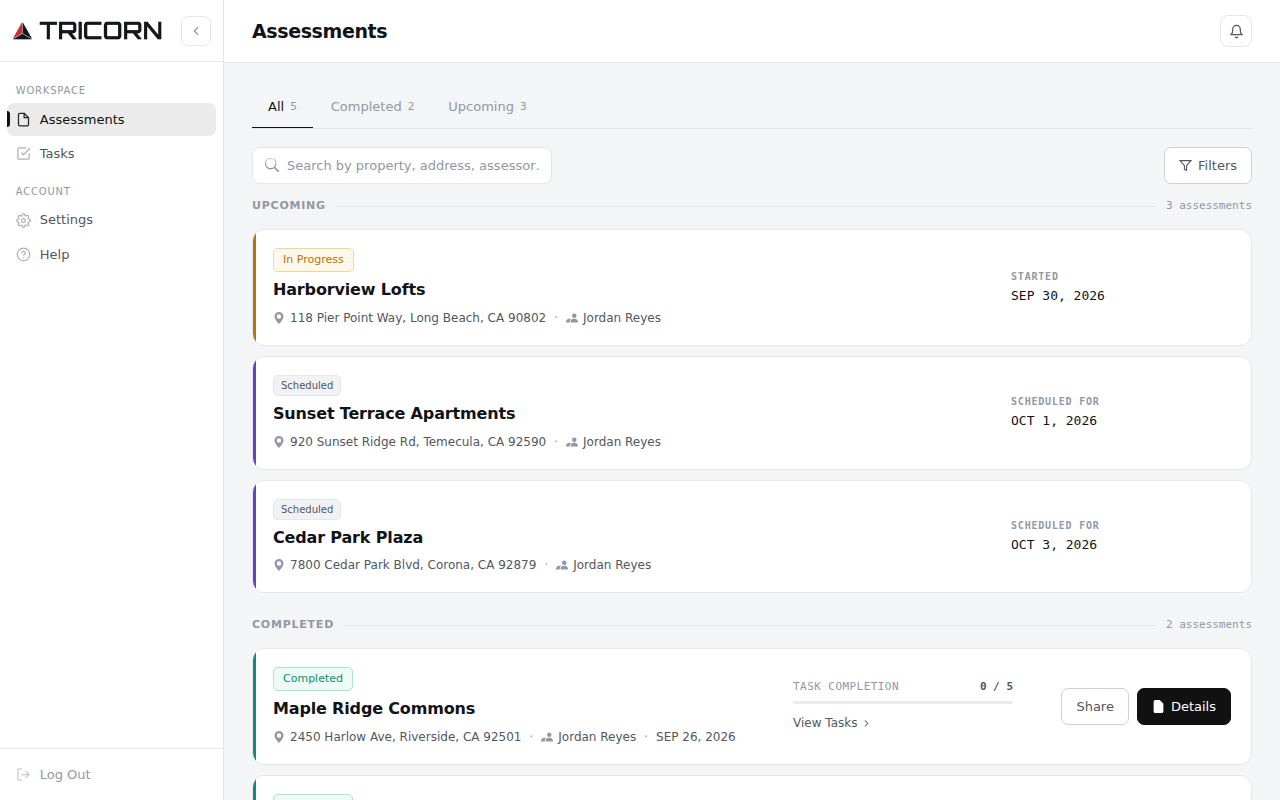
Schedule assessments, assign assessors, maintain your templates and approve every report before it reaches the client.
Document findings on a phone or tablet with photos, checklists, ratings and notes. Improve writing suggests a cleaner version of long answers, and the assessor decides whether to use it. Works without signal and syncs once you reconnect.
Clients follow assessment progress, read reports online or download the PDF, and track the recommendations you choose to assign as tasks.
Schedule assessments, assign assessors, maintain your templates and approve every report before it reaches the client.

Document findings on a phone or tablet with photos, checklists, ratings and notes. Improve writing suggests a cleaner version of long answers, and the assessor decides whether to use it. Works without signal and syncs once you reconnect.

Clients follow assessment progress, read reports online or download the PDF, and track the recommendations you choose to assign as tasks.

Set up the client and property, select a template and assign an assessor.
Capture observations, photos and ratings in the field, online or off. Improve writing helps tidy long answers before they reach the report.
Approve the assessment and publish the report as a web page and a PDF.
Share the report through the client portal, and convert recommendations into tasks where follow-up matters.
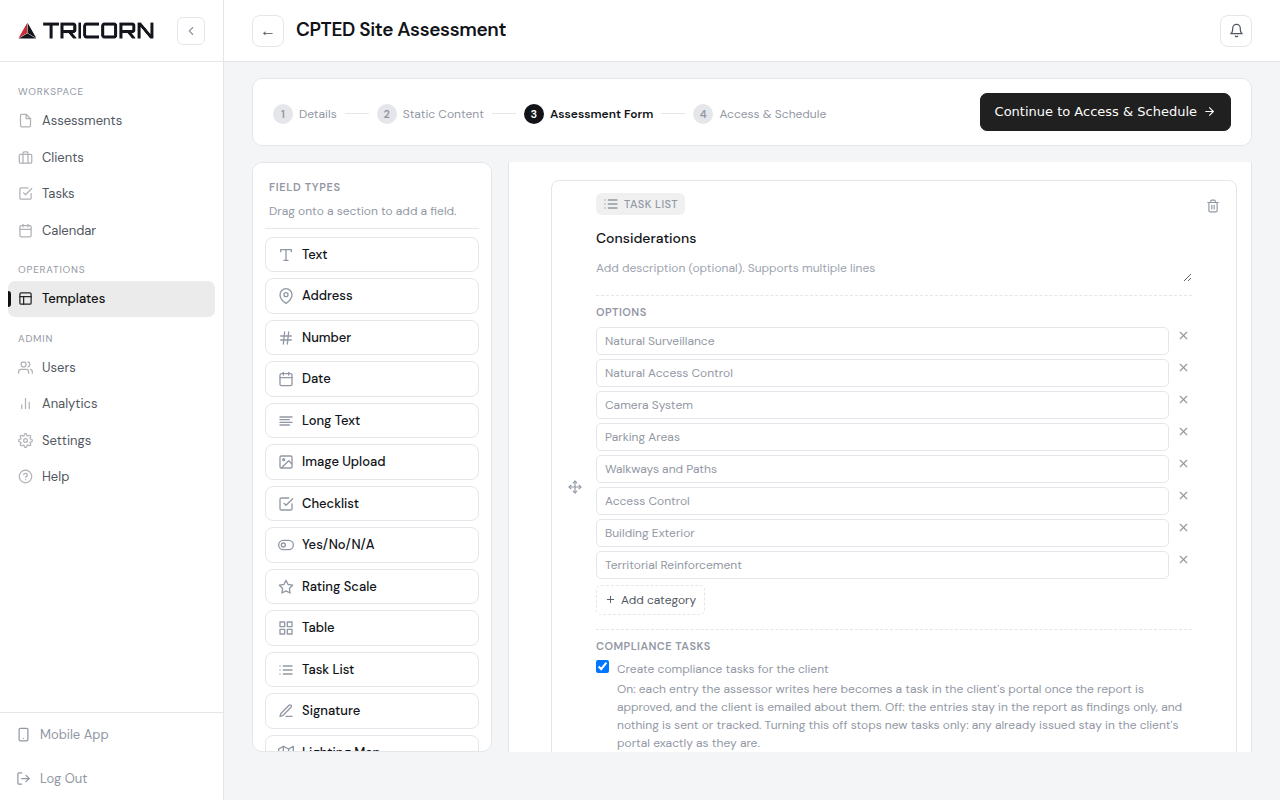
Design templates for vulnerability assessments, physical security surveys, school safety reviews or any site walk your team performs.

Sections, checklists, yes/no questions, ratings, photos, tables, signatures and recommendation lists.
Start from a platform template, including CPTED, and adapt it to your own standards.
Every assessor works from the same template, so every report follows the same structure.
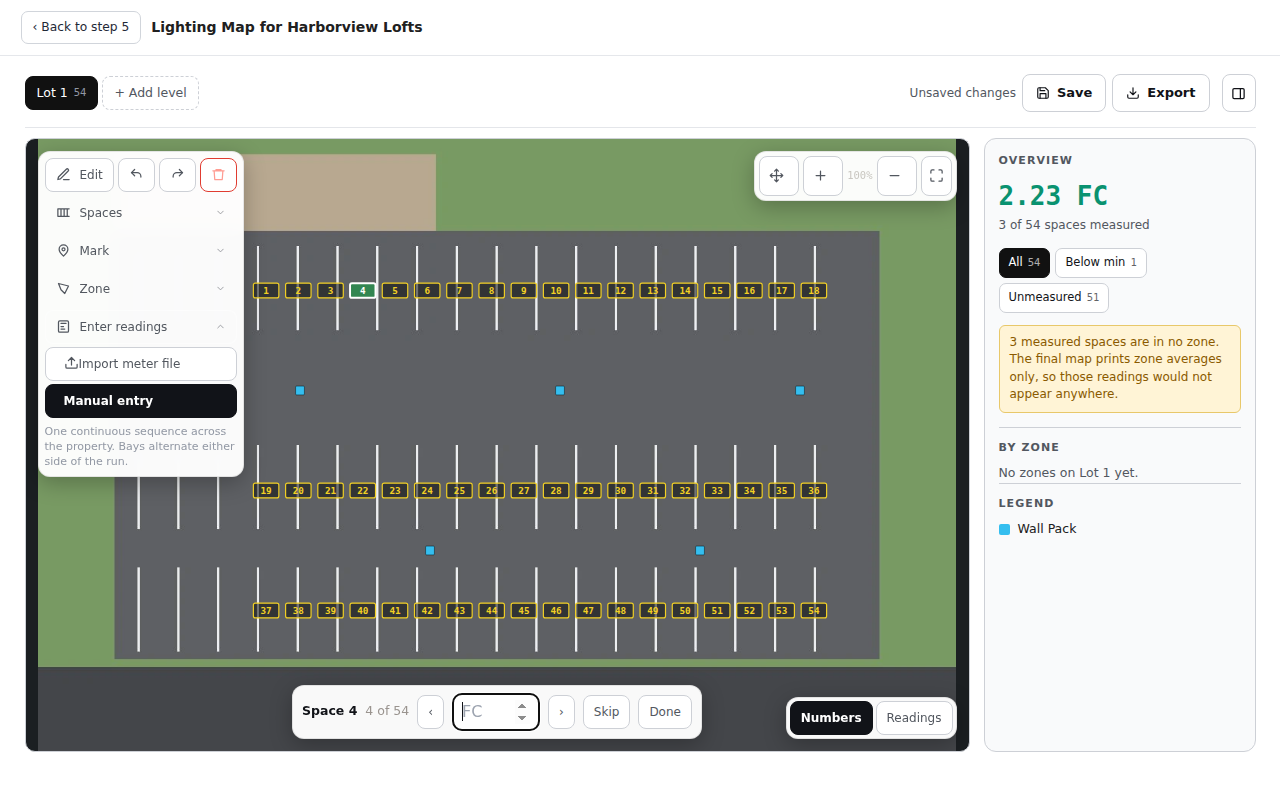
Upload the site plan, position fixtures and log foot-candle readings where you take them.

Work directly on the property's plan rather than a generic diagram.
Place each fixture and record the foot-candle reading exactly where it was taken.
Every zone is measured against a 1.8 foot-candle minimum, so the areas below it stand out at a glance.
there is a gap under the fence on the east side about 14 inches and no lights there at night
Or describe a changeCustom-built AI that helps you write clearer assessments. It cleans up what you wrote without adding facts, and nothing changes until you say so.
Add members to an assessment and several assessors work on it at the same time, each from their own device. Everything lands in one report.
Manual reporting often takes days and spans word processors, PDF editors and slide decks. Tricorn keeps the assessment, the report and the follow-up in one dashboard, so the work moves from site to client without being rebuilt.
| The usual way | With Tricorn | |
|---|---|---|
| Field notes | Paper forms and phone notes | Structured checklists, ratings and notes, offline, with Improve writing for long answers |
| Photos | Scattered across camera rolls | Captured inside the assessment, alongside the finding |
| Reporting | Days of assembly across Word, Adobe and slides | Generated from the assessment as a web page and a PDF |
| Client delivery | Recommendations buried in an email attachment | A client portal with every report and an optional task list |
Deliver consistent, professional reports across every engagement, with each client's reports in one portal.
Apply one standard across your portfolio and keep a clear record of every assessment.
Conduct CPTED reviews and security surveys for local businesses and residents, and hand over a report they can act on.
Start from a ready CPTED template and shape it to the standards you teach and apply.
One plan, one price. Start with a 7-day free trial that includes 2 assessments, then pay per user. Client access is always free.
Rolling out to a team, or have questions before you start? Tell us about your work and we will follow up directly.
Start free trialThank you. Your message has been received. We will respond to the email address you provided within 24 hours.
Something went wrong while sending your message. Please try again, or email team@gotricorn.com.